
Text, image, and video inputs
Start from a prompt, guide the scene with an image, add first-last frames, or use short video references for motion and continuity.
Gemini Omni is a unified multimodal AI model — generate video, image, audio, and on-screen text from a single prompt. Native 4K, chat-edit, copy-ready prompt library. Free trial, no credit card required.
✨ Free signup includes 5 trial credits — enough to test the model risk-free.
New Gemini Omni workflow
Gemini Omni 1.1 Flash is the newer creation page for controlled short-form video. It keeps the multimodal Gemini Omni workflow, then adds practical options for scene extension, first-last frame control, reference video guidance, prompt-based video edits, and higher resolution output.
Try Gemini Omni 1.1 FlashStart from a prompt, guide the scene with an image, add first-last frames, or use short video references for motion and continuity.
Extend a shot, reshape an existing clip, or describe the next change in plain language without rebuilding the whole scene.
Use 360p for quick drafts, then move promising shots to 720p, 1080p, or 4K when the direction is ready.
Gemini Omni is Google's multimodal generation model, It takes any input — text, image, video, or audio — and produces video output with synchronized audio. As Google describes it: “Gemini Omni combines an intuitive understanding of physics with Gemini's knowledge of history, science, and cultural context — bridging the gap from photorealism to meaningful storytelling.”
Three things distinguish Gemini Omni from earlier AI video models:
Gemini Omni is available in the Gemini app, Google Flow, and YouTube Shorts. Our Gemini Omni AI Video Generator is a complementary creator workspace built on top of the same multimodal capabilities — with batch workflows, a curated prompt library, and multi-platform export presets on our service.
Gemini Omni natively handles text, image, video, and audio in one pass: no stitching tools, no separate models. The 9 capabilities below describe what you can do with our Gemini Omni AI Video Generator today.
Gemini Omni text-to-video renders 4K cinematic clips up to 30 seconds from a single prompt, with native on-screen typography in EN/ZH/JA/KO.
Gemini Omni image-to-video animates any still image while preserving character identity and wardrobe across frames.
Upload a video and Gemini Omni will restyle, recut, or extend it while keeping character and scene consistency locked by seed.
Refine any frame by chatting with Gemini Omni: no timeline, no keyframes, just natural language.
Gemini Omni generates the audio bed in the same pass as the video, so footsteps land on the beat and dialogue lip-syncs on the first export.
Gemini Omni renders legible on-screen text in English, Chinese, Japanese, and Korean, perfect for global ad campaigns and localized explainers.
Lock the seed and reference frame, and Gemini Omni keeps faces, wardrobe, and lighting consistent across stitched 4 x 8-second cuts.
Direct Gemini Omni in natural language, such as "slow dolly forward, 35 mm, golden hour", and the model honors the lens, focal length, and motion you described.
Gemini Omni outputs up to 3840 x 2160 with no upscaling, so every pixel comes from the same generation pass, not a post-hoc enlarger.
Skip the blank-page problem. Each prompt below is tuned for a specific Gemini Omni capability — physics-aware motion, multimodal input, conversational edits, character consistency, multilingual on-screen text. Copy any prompt verbatim, swap a noun or two, and run it.
Input video
Input image
Input audio
Prompt
Input video
Input image
Input audio
Prompt
Input video
Input image
Input audio
Prompt
Input video
Input image
Input video
Input image
Input video
Input image 1
Input image 2
Generating your first Gemini Omni video takes about 2 minutes — describe, generate, then refine.
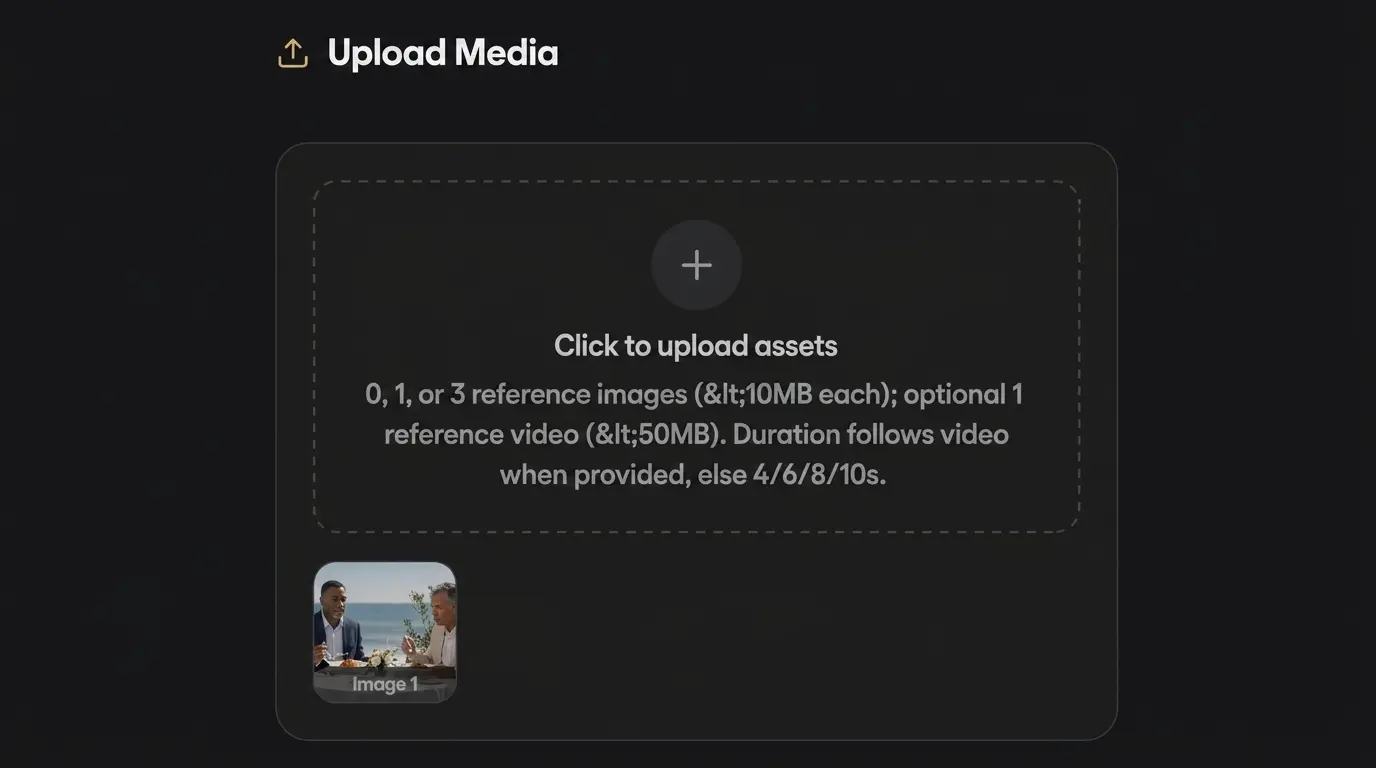
Type a natural-language prompt, drop in a reference image, or upload an existing video to remix. No prompt-engineering PhD required.
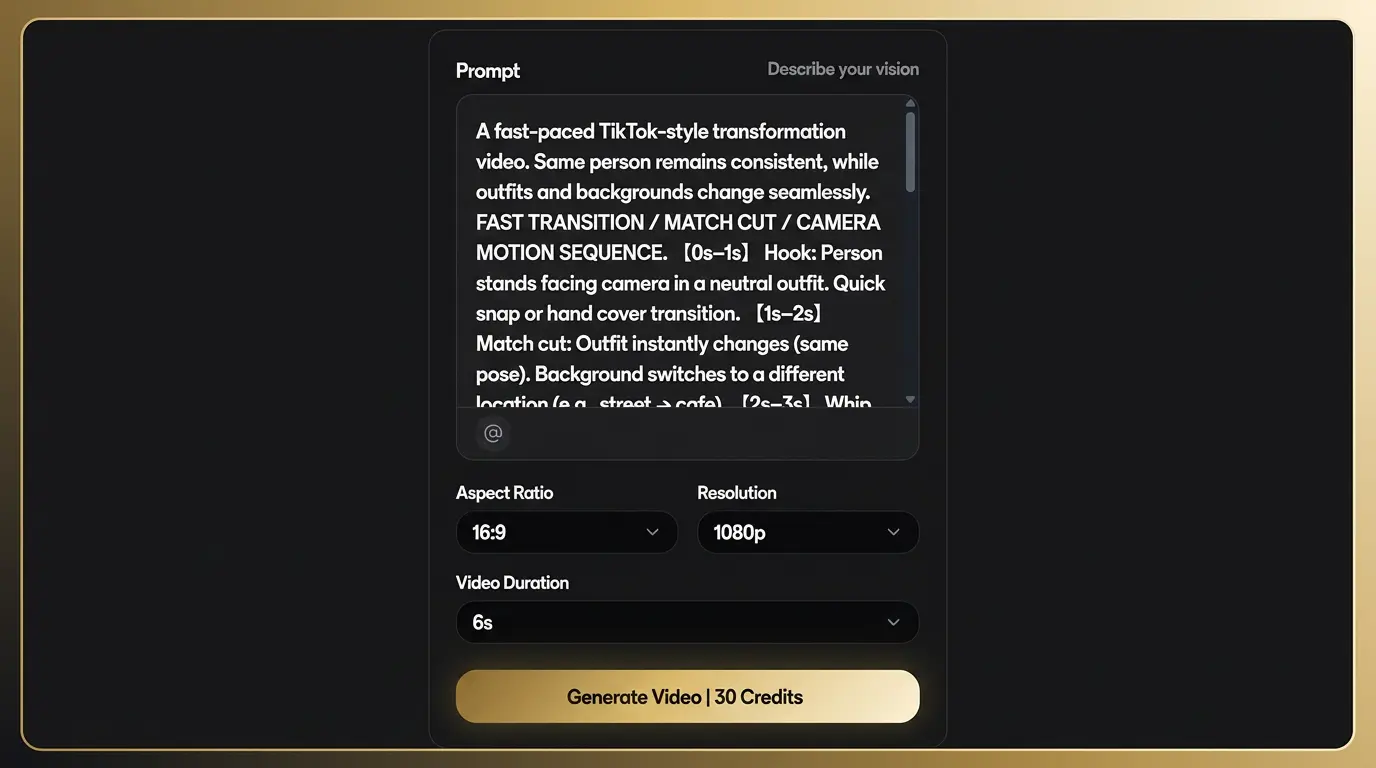
Gemini Omni reasons across text, image and video in one pass. 720p–4K output, 4–20 seconds, ready in 30–90 seconds.
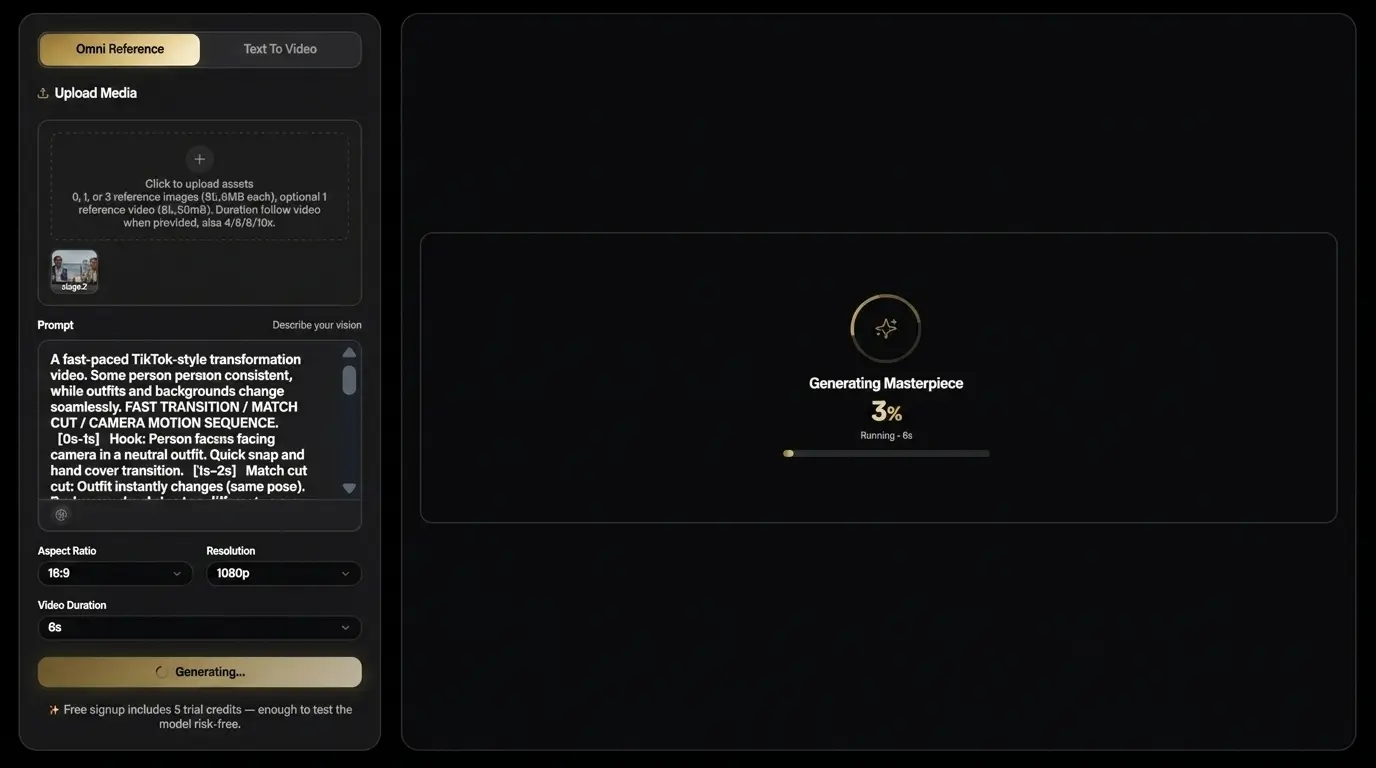
Refine any frame by chatting with the model. Export MP4, WebM or GIF. Commercial license included on all paid plans.
Gemini Omni takes any input — text, image, video, or audio — and renders a coherent video with synchronized sound. As Google describes it, the model “combines an intuitive understanding of physics with Gemini's knowledge of history, science, and cultural context,” which is why a scene Gemini Omni generates looks physically plausible and contextually accurate. Each edit you make builds on the last, so the scene stays consistent shot to shot.
Stage 1
Drop in a prompt, a reference image, an existing clip, or even an audio track. Gemini Omni accepts any combination as the seed.
Stage 2
Gemini Omni produces a video that respects physics, context, and your intent — with audio rendered in the same pass.
Stage 3
Refine a single shot or the whole scene by talking to the model — "change the camera angle", "swap the mug for a blue one", "make the lighting warmer".
Stage 4
Pick MP4, WebM, or GIF in your platform's exact aspect ratio. Commercial use rights are included on all paid plans.
Here's how Gemini Omni's multimodal architecture stacks up against other leading AI video models. Specs in the Gemini Omni column reflect our generator's current service implementation; specs in other columns reflect each vendor's published capabilities at time of writing.
| Dimension | Gemini Omni(our service) | Seedance 2.0 | Veo 3 | Kling | Runway | Pika |
|---|---|---|---|---|---|---|
| Native resolution | Up to 4K | 1080p | 1080p | 1080p | 1080p | 720p |
Native resolution — 4K is required for client-deliverable ads and broadcast. 1080p models need an upscaler that softens detail. | ||||||
| Multimodal input | Text + image + video + audio | Text + image + video | Text + image | Text + image | Text + image + video | Text + image |
Multimodal input — Accepting audio and existing video as input — not just text and image — lets you do remix, lip-sync, and audio-driven generation in a single tool. | ||||||
| Native audio | In-pass (Google-confirmed) | In-pass | Separate model | Post-hoc | Post-hoc | Post-hoc |
Native audio — In-pass audio means footsteps and lip-sync land on the first export — no Audacity round-trip. | ||||||
| Conversational edit | Step-by-step chat-edit (Google-confirmed) | — | — | — | Gen-3 separate | — |
Conversational edit — Step-by-step chat-edit replaces most After Effects round-trips for short-form content. Google specifically calls this out as a Gemini Omni differentiator. | ||||||
| Character consistency | Built-in across edits (Google-confirmed) | Strong | Limited | Decent | Weak | Weak |
Character consistency — Series content (episodes, ads, MVs) requires the same character across shots. Gemini Omni preserves a consistent, coherent scene as you iterate. | ||||||
| Camera control via prompt | Yes (Google-confirmed) | Yes | Partial | Partial | Yes | Limited |
Camera control via prompt — Direct lens, focal length, and motion in plain English — confirmed by Google's official example "Change the camera angle to be over the violinist's shoulder." | ||||||
| Max clip length (single shot) | ~30 s | 12 s | 8 s | 10 s | 10 s | 5 s |
Max clip length — Gemini Omni's ~30 s single-shot ceiling is roughly 2–3× competitors' max, which means fewer cuts to stitch for ads, explainers, and product demos. Combined with chat-edit, you can extend or refine without breaking continuity. | ||||||
| Pricing entry | Free 5 credits + $9.9 pack (this service) | ByteDance credit packs | $20+/mo | Free + cheap | $15+/mo | $10+/mo |
Pricing entry — Lowest entry barrier among 4K-capable services — try before you commit. | ||||||
Whether you're shipping TikToks, product ads, or classroom explainers, Gemini Omni adapts to your workflow.
Gemini Omni for TikTok and Reels renders vertical 9:16 hooks in under 30 seconds. Creators use it for trending audio cuts, meme rapid-response, and serialized content. Includes 6 short-form templates and a one-click TikTok export preset.
Gemini Omni for product ads renders 4K macro shots and lifestyle heroes that preserve packaging, brand colors, and on-pack text across every cut — no rotoscoping required.
Gemini Omni for explainers renders legible chalkboard math, whiteboard diagrams, and step-by-step walkthroughs — with on-screen text in EN / ZH / JA / KO.
Gemini Omni for storyboarding pre-visualizes scenes in minutes. Lock characters with seed, iterate camera angles, and export a shot list for production.
Gemini Omni for talking-head video renders studio-quality avatars with lip-synced multilingual narration and brand-consistent wardrobe across episodes.
Gemini Omni for music videos syncs visuals to your audio. Genre presets, character consistency across cuts, and 4K export ready for YouTube and TikTok.
Gemini Omni for real estate turns floor plans and photos into cinematic property tours — drone shots, interior walkthroughs, multilingual narration.
Gemini Omni renders on-screen text in English, Chinese, Japanese, and Korean — every character legible across 4K, perfect for global campaigns.
Gemini Omni gives AI creators a full workflow — prompt library, batch generation, remix recipes, and a beta API on the Pro plan.
Platform-ready export
Export videos in platform-ready formats — no re-encoding, no aspect-ratio guessing. MP4, WebM, and GIF are ready for every channel.

Vertical short video
Vertical short video

Vertical short video

Full-length video export
Landscape social video

Square post export
All exports are optimized for fast upload and best visual quality.
Edit over multiple turns, with consistency. Craft your scene step-by-step — change camera angles, swap objects, replace backgrounds, and refine lighting without losing character identity or re-prompting from scratch.
Start free with 5 credits at signup. Credit packs scale from $9.9 (Starter) to $99.9 (Professional). Commercial license included on all paid packs. All Gemini Omni packs are one-time purchases — no subscriptions, no auto-renewal.
One-time pack
One-time pack
One-time pack
One-time pack
| Feature | Free | Starter | Basic | Plus | Pro |
|---|---|---|---|---|---|
| Credits | 5 | 99 | 330 | 600 | 1250 |
| Native 4K | ✓ | ✓ | ✓ | ✓ | ✓ |
| Commercial license | — | ✓ | ✓ | ✓ | ✓ |
| Watermark on output | ✓ | — | — | — | — |
| Priority generation queue | — | — | ✓ | ✓ | ✓ |
| Bulk export presets | — | — | — | ✓ | ✓ |
Credits fund every Gemini Omni render you queue on Gemini Omni—text-to-video, image-to-video, remix, and chat-edit jobs share the same billing meter.
One-time credit packs only — no subscriptions, no auto-renewal
Gemini Omni is Google's multimodal generation model. It accepts text, image, video, or audio inputs and produces video with synchronized sound. Gemini Omni 1.1 Flash is the newer version highlighted on our site, adding faster 360p drafts, first-last frame control, reference video guidance, scene extension, prompt-based video editing, and 1080p or 4K finishing options. Google describes Gemini Omni as combining physics-aware motion with Gemini's knowledge of history, science, and cultural context, while our creator tools add guided workflows, a curated prompt library, and multi-platform export presets on top.
Veo 3 is a video-only model: text in, video out, no native audio, no on-screen text rendering. Gemini Omni is multimodal in one pass — it generates video, audio, and on-screen text together, so footsteps land on the beat and captions match the spoken narration without post-processing. Gemini Omni also outputs native 4K (3840×2160) versus Veo 3's 1080p, and supports chat-edit refinement where you can revise any frame in natural language. For production-ready ads, explainers, and multilingual content, Gemini Omni removes 2–3 separate tools from your stack. Full comparison →
Yes. All paid Gemini Omni plans ($9.9 Starter and above) include full commercial use rights for every output generated through the service — including ads, product videos, social posts, client deliverables, and resale of derivative content. Free-tier outputs are watermarked and limited to personal, non-commercial use. There's no per-asset royalty, no attribution requirement, and no clearance fees. See the full license terms on the Pricing page.
Yes. Gemini Omni generates audio in the same pass as the video — not as a separate post-processing step. Google's official demos show realistic ambient sound, music, and lip-synced dialogue rendered alongside the visuals. In our generator, this means footsteps land on the beat and dialogue lip-syncs to the on-screen character on the first export, with no Audacity round-trip needed. Our service supports voice, ambient, and music beds; you can also opt to disable audio in the generation request and add your own soundtrack later.
Gemini Omni starts free: every new account gets 5 trial credits at signup, no credit card required. Paid credit packs are one-time purchases: $9.9 for 99 credits (Starter), $29.9 for 330 credits (Basic), $49.9 for 600 credits (Plus), and $99.9 for 1,250 credits (Professional). Credits never expire, and all paid packs include commercial use rights. A typical 8-second 4K clip costs around 10 credits. See full breakdown on the Pricing page.
Gemini Omni locks character identity via two mechanisms: a deterministic seed and an optional reference frame. In Remix mode, you can stitch up to 4 × 8-second clips that all share the same character — same face, same wardrobe, same lighting — without manual rotoscoping. This is especially useful for episodic content (serialized TikToks, multi-shot ads, music videos) where re-prompting the same character in other AI video tools often produces drift. The seed and reference frame can be saved per project and reused across generations.
Google has not published an exhaustive supported-language list for Gemini Omni on-screen text. In our own generator, we have tested and confirmed clean output for English, Chinese (Simplified and Traditional), Japanese, and Korean, and broader support for Spanish, French, German, Portuguese, and Hindi is in active beta. On-screen text is rendered as part of the same generation pass as the video itself, which means it follows the camera motion correctly and doesn't require a separate caption-burn-in step.
Yes. Every account on our Gemini Omni AI Video Generator starts with 5 trial credits at signup — no credit card required. Free-tier outputs include a small watermark and are limited to personal use. Our Is Gemini Omni Free? guide covers what's included, how signup credits work, and how that compares to Google's hosted tiers. If you upgrade to any paid pack ($9.9 Starter and above), the watermark is removed retroactively from your library and full commercial rights apply. Start at the Pricing page and click "Start free". (Note: the Gemini app, Google Flow, and YouTube Shorts may require a Google AI subscription; check google.com for current tier details.)
Gemini Omni differentiates itself with 4K native resolution, native multimodal input (you can drop in a reference image, an existing clip, or even an audio track as the seed), chat-based step-by-step editing where each edit builds on the last, and synchronized audio rendered in the same pass as video. Seedance 2.0 is competitive on in-pass audio and character consistency but caps at 1080p and has no conversational editing. Kling 3 is competitive on cost for English-only short-form. For multimodal workflows where you iterate, swap objects, or maintain consistent characters across longer shots, Gemini Omni is the strongest choice. Full comparison →
Free 5 credits, no card. Commercial license on every paid pack. 7-day refund.
Try Gemini Omni Free →